
Capture a meal quickly
Shows the streamlined log flow for turning a real meal into structured data with image capture, notes, and AI analysis.
 Food Health for iPhone & Android
Track food, calories, and macros with AI-powered photo and note analysis. Capture and analyze device readings. Share progress with others.
A March 8, 2026 Renaissance Circle feature connects the core idea behind Food Health to actual product behavior: better nutrition decisions start with better capture, review, and repeatable meal data.
The Food Health app is designed to make real meals measurable without turning daily logging into a chore. Photo capture, note capture, editing, and reanalysis are the practical bridge between intention and useful nutrition data.
The two short demos below show that bridge directly: fast logging on the left, quick correction and refinement on the right.
Shows the streamlined log flow for turning a real meal into structured data with image capture, notes, and AI analysis.
Shows the faster edit path so users can correct entries, improve data quality, and keep the log useful over time.
Full theme audio for the Food Health demos. It does not autoplay, and starting this track will pause any playing demo video on the page.
These first-run screens set expectations early: starter credits, privacy controls, Apple Health integration for better recommendations, and a generated custom plan.
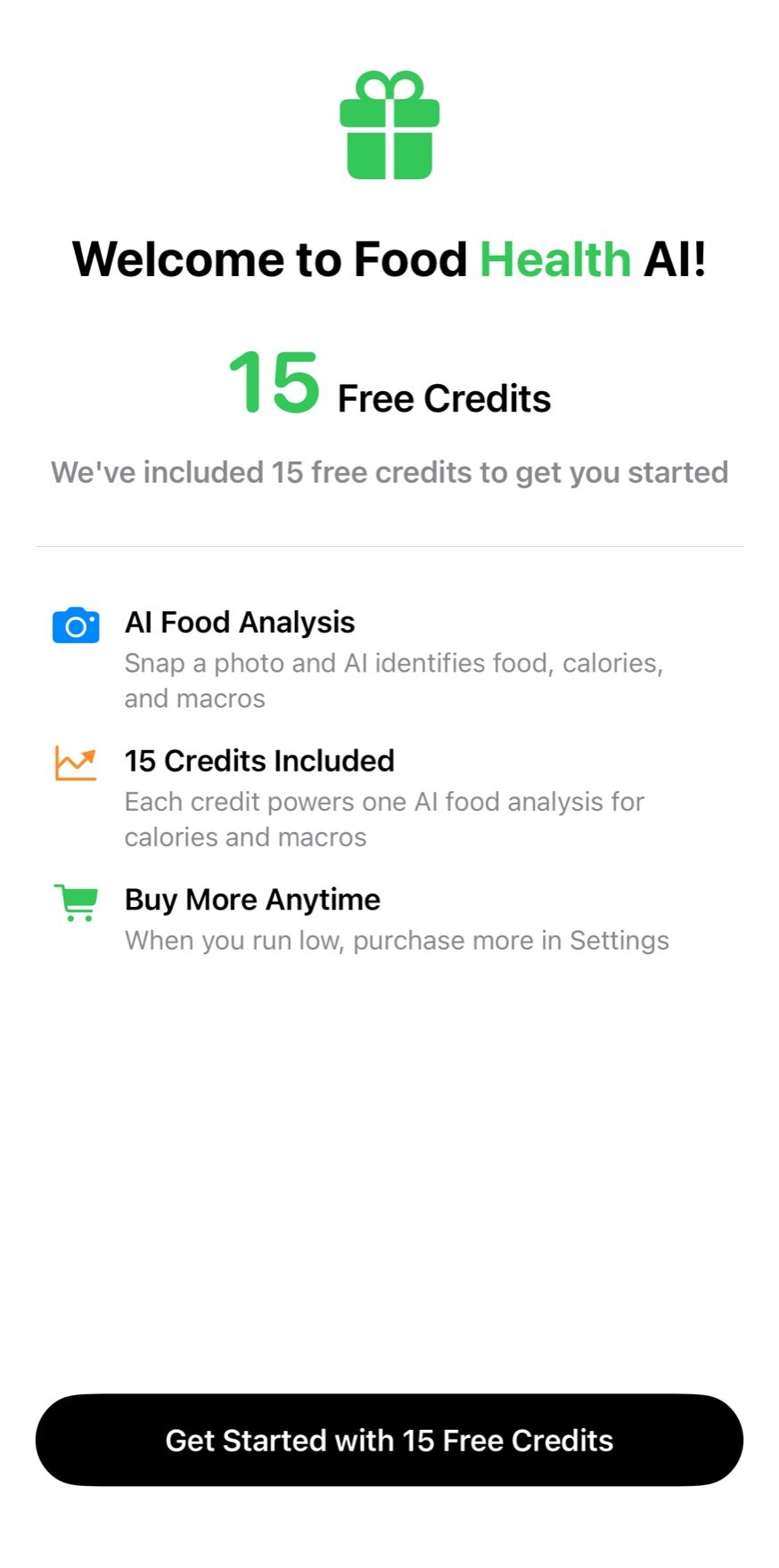
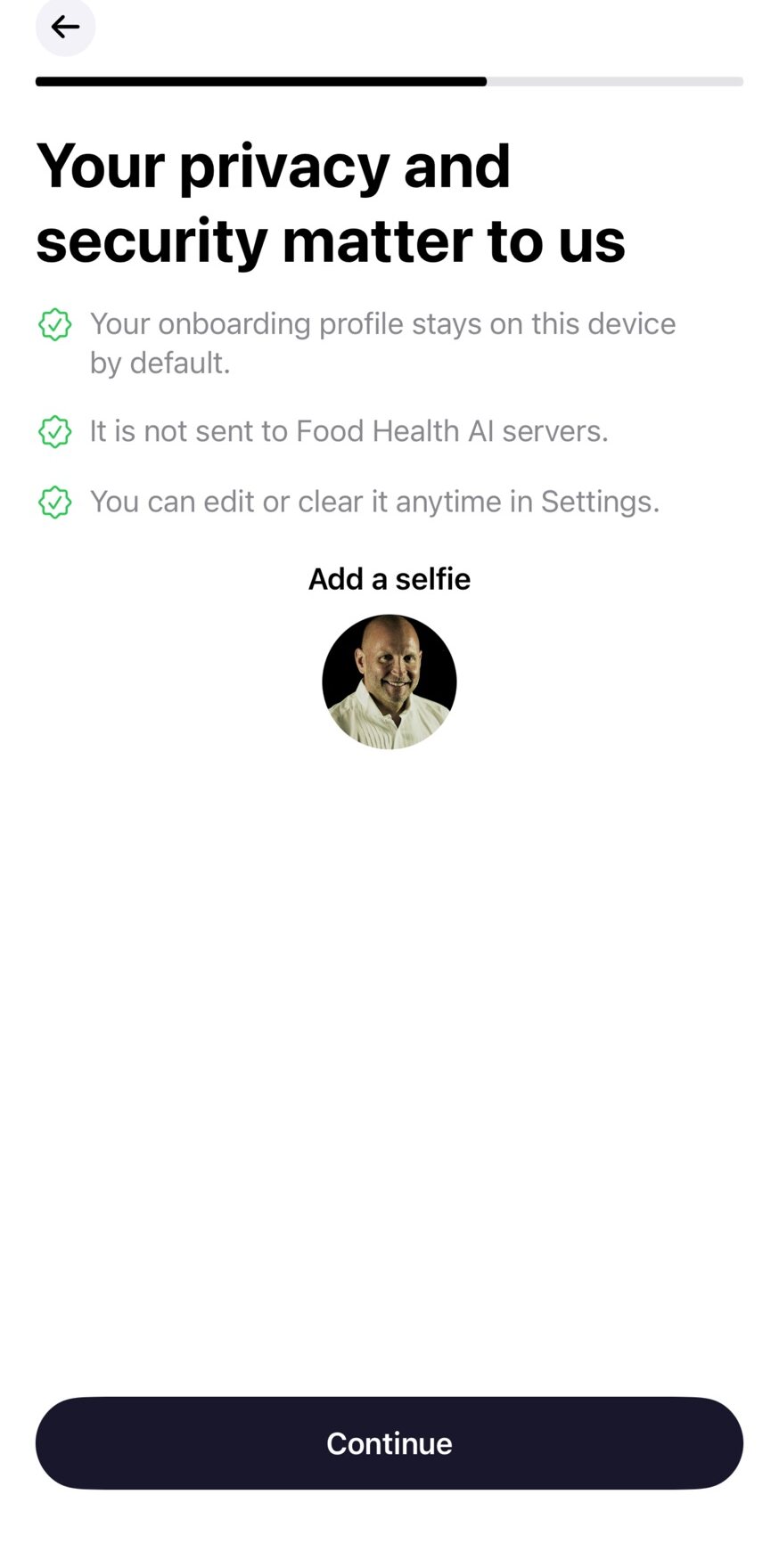
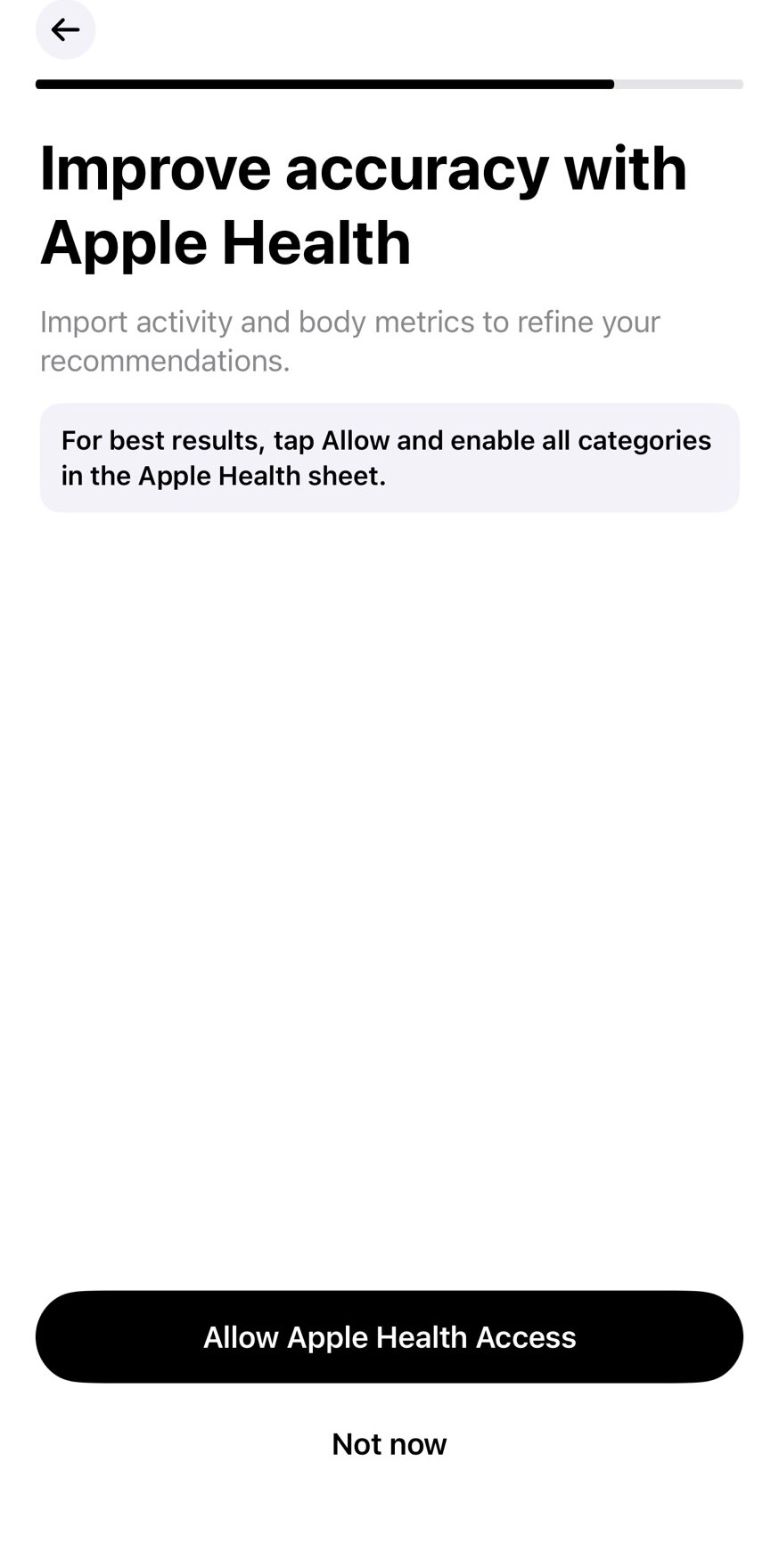
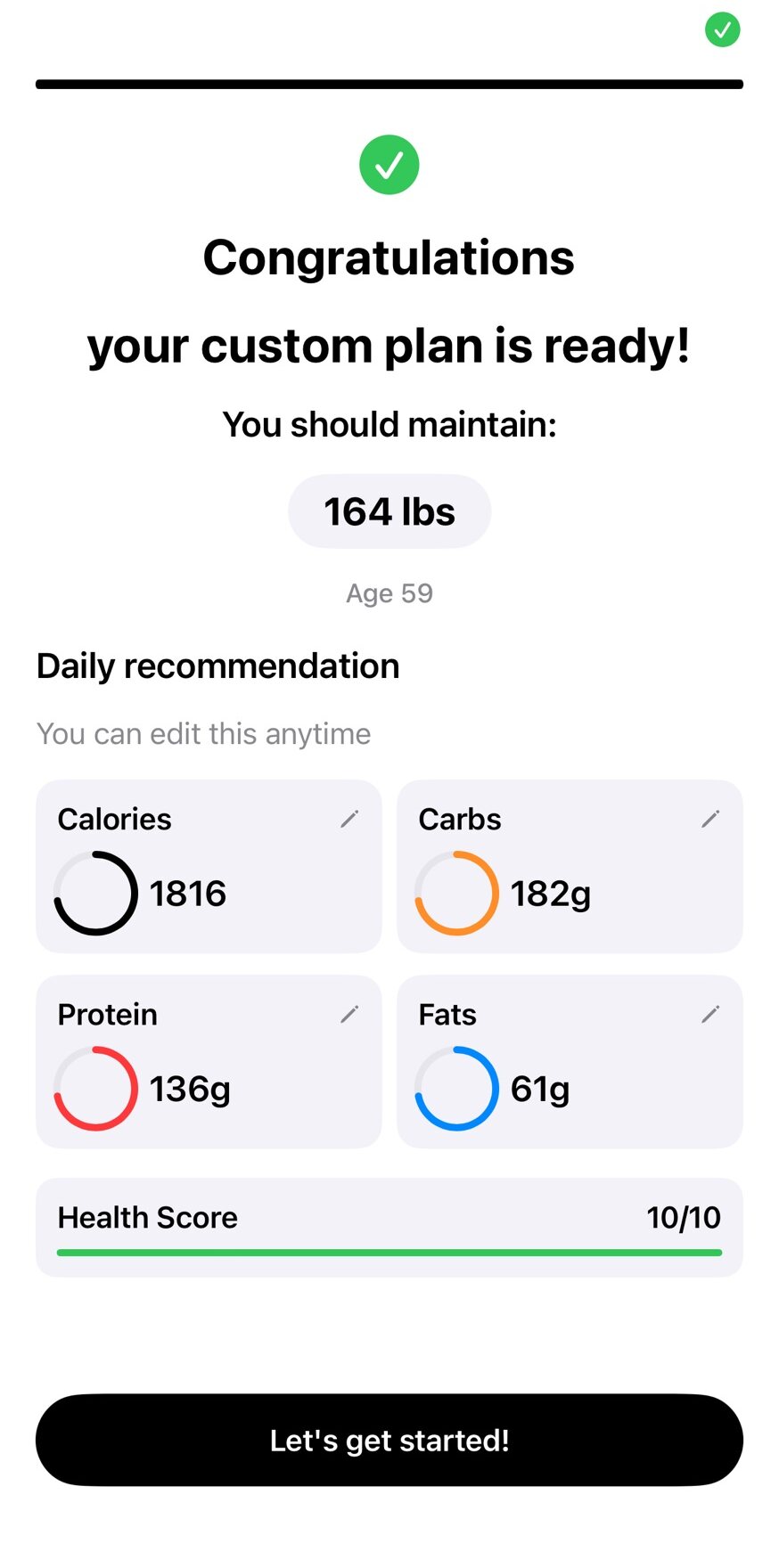
This release focuses on practical logging speed, clearer entry-state behavior, and stronger trend visibility. The interface is designed for quick logging first, then flexible review and deeper analysis when needed.
Users can create entries from image + notes, image-only, or notes-only input. This reduces friction on busy days and supports incomplete-but-usable logs.
Analysis is reviewable with Copy and Edit options, and entry-state indicators make unsaved changes obvious before users leave screens.
AI estimates calories and macros from meal photos and text notes for faster food journaling.
Updated estimation flow supports user calorie priority for better day-level decision support.
Entries can still be saved when analysis fails or is skipped, then reanalyzed later from a visible status badge.
Report and scatter views help users inspect nutrition/activity relationships over time.
Users can customize device-analysis prompts to tune output from visual readings.
Offline and weak-network checks avoid long hangs and guide users to save first, then reanalyze later.
Curated screenshots from the current production-oriented flow. This page intentionally excludes duplicate imagery, coming-soon screens, and the buy-credits purchase screen.
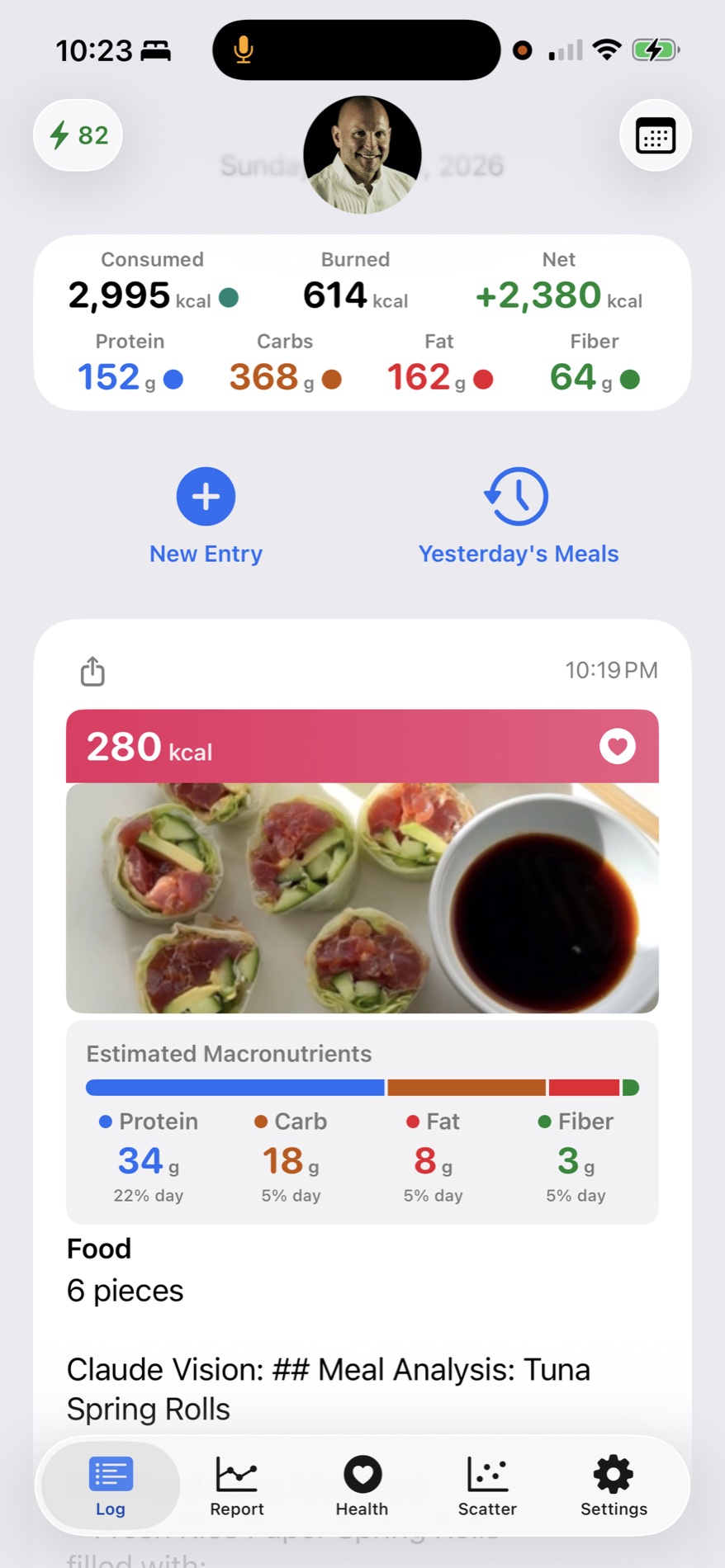
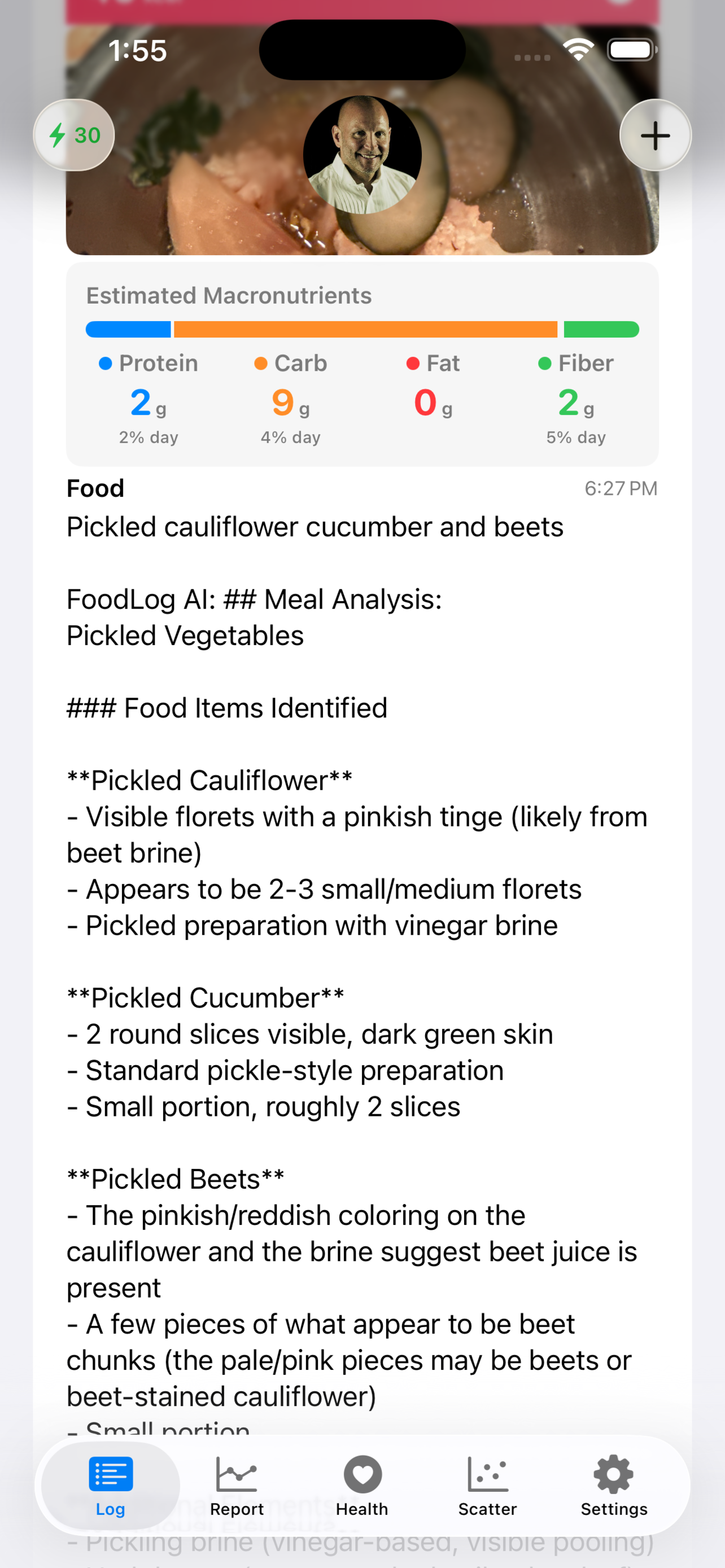
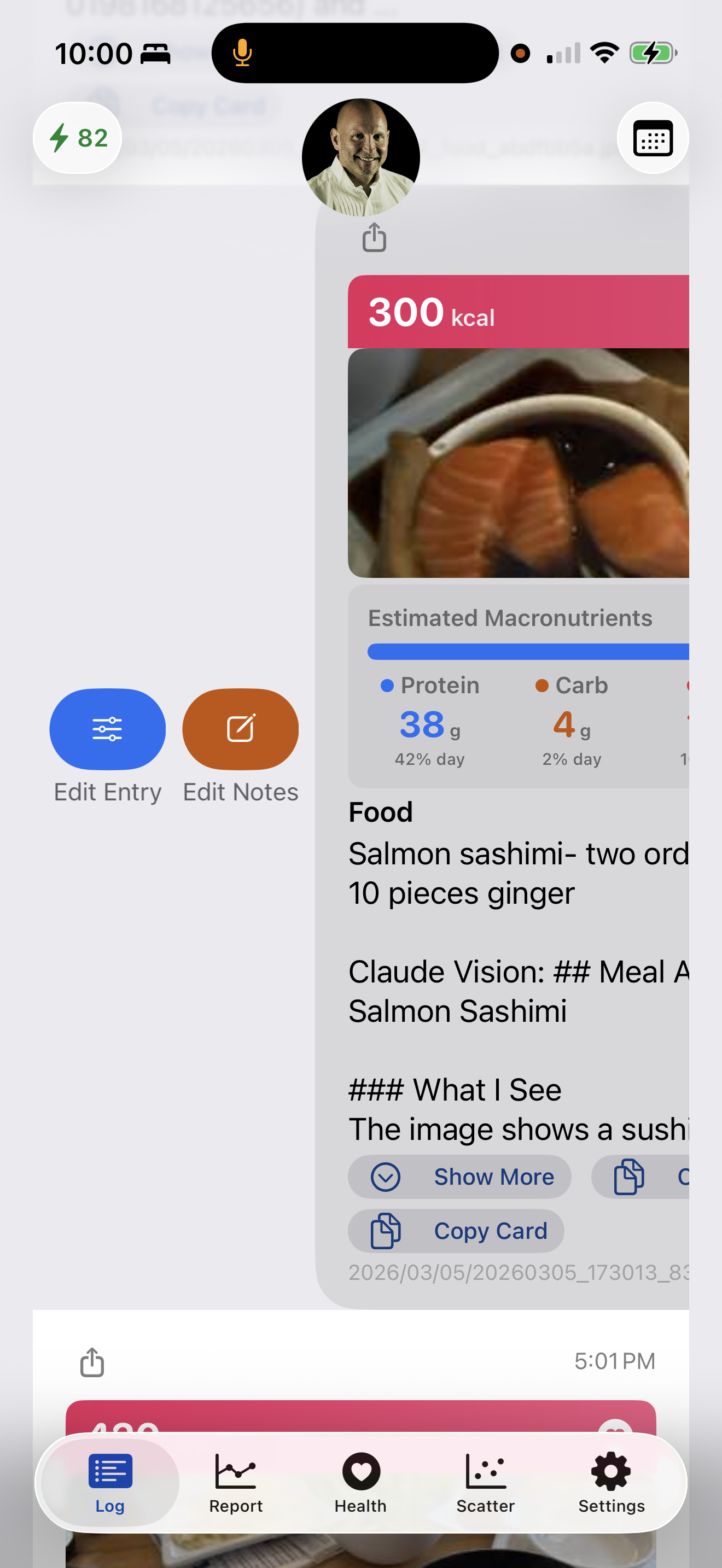
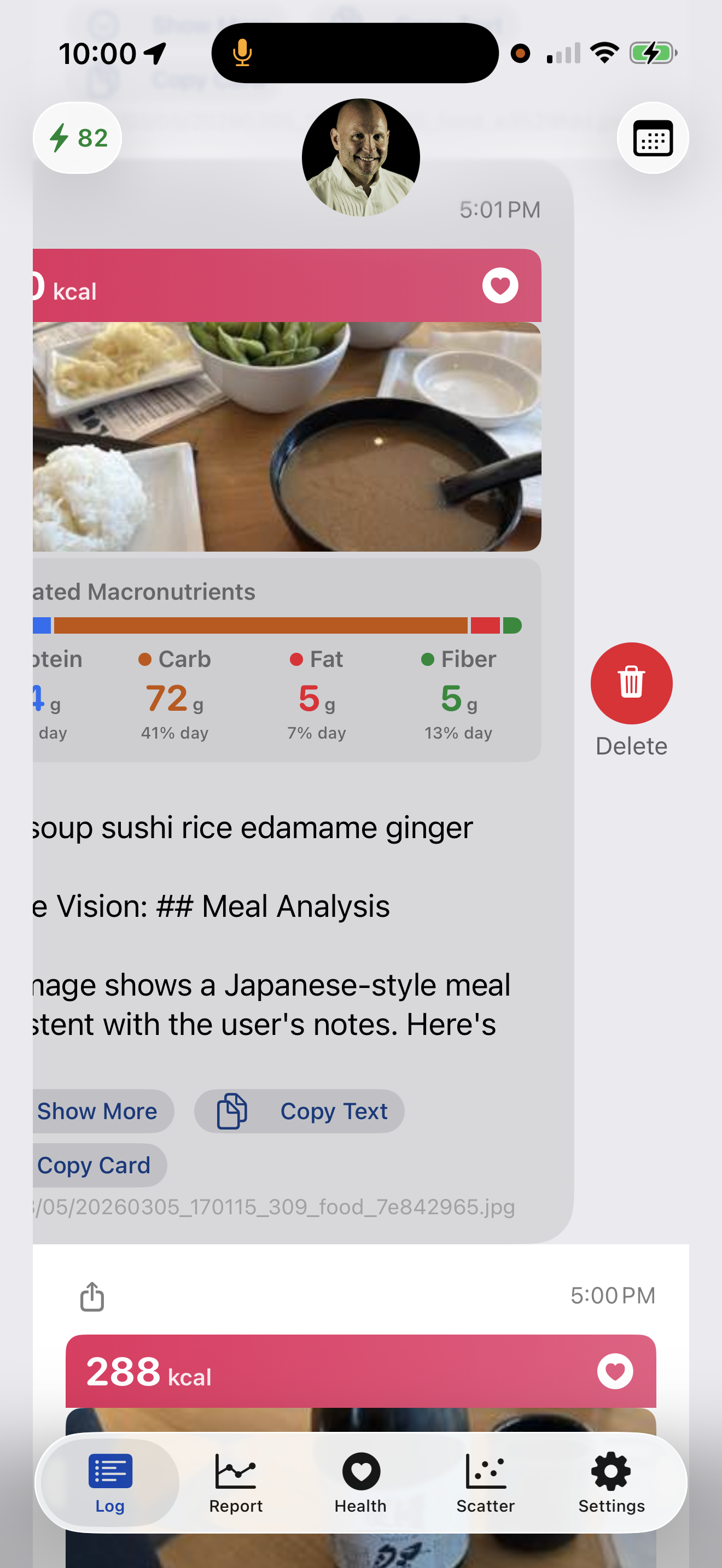
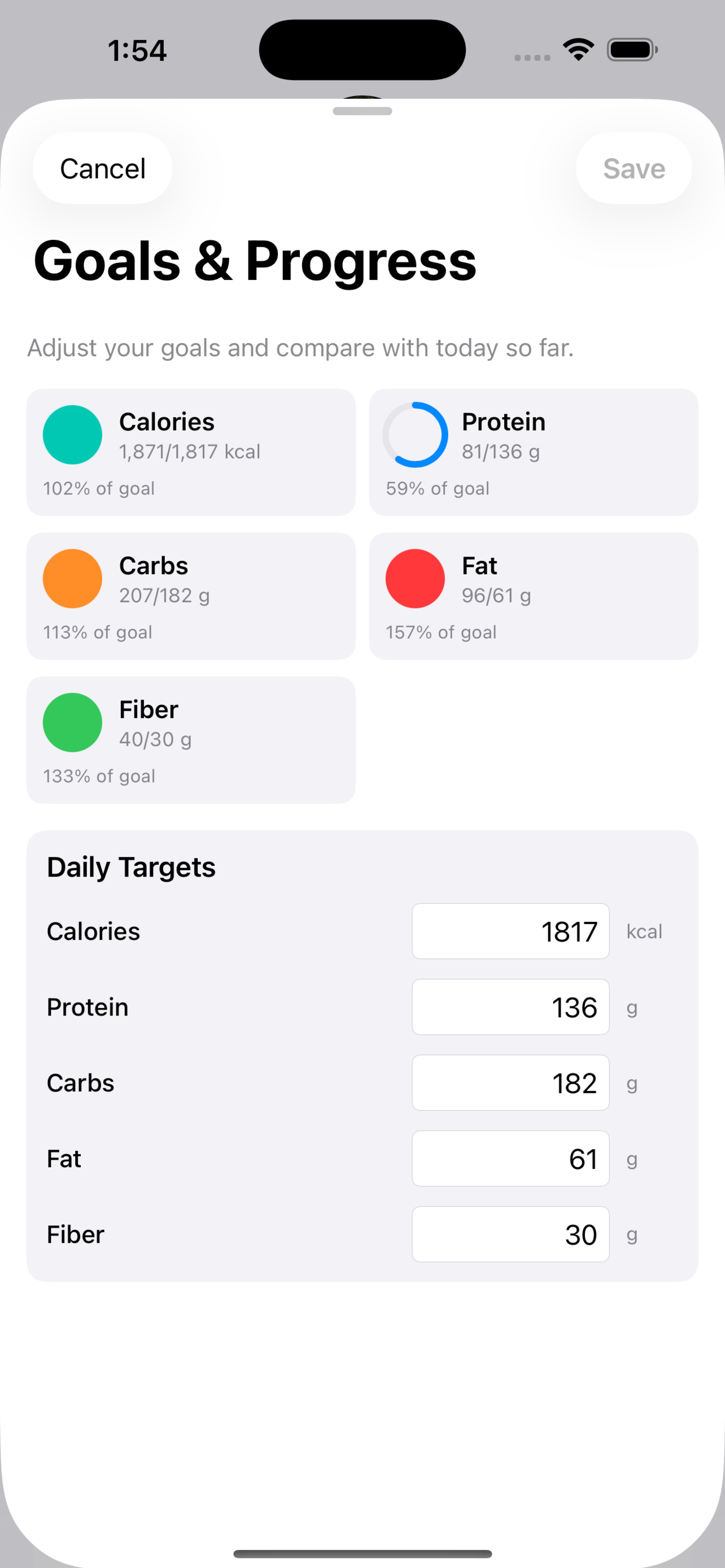
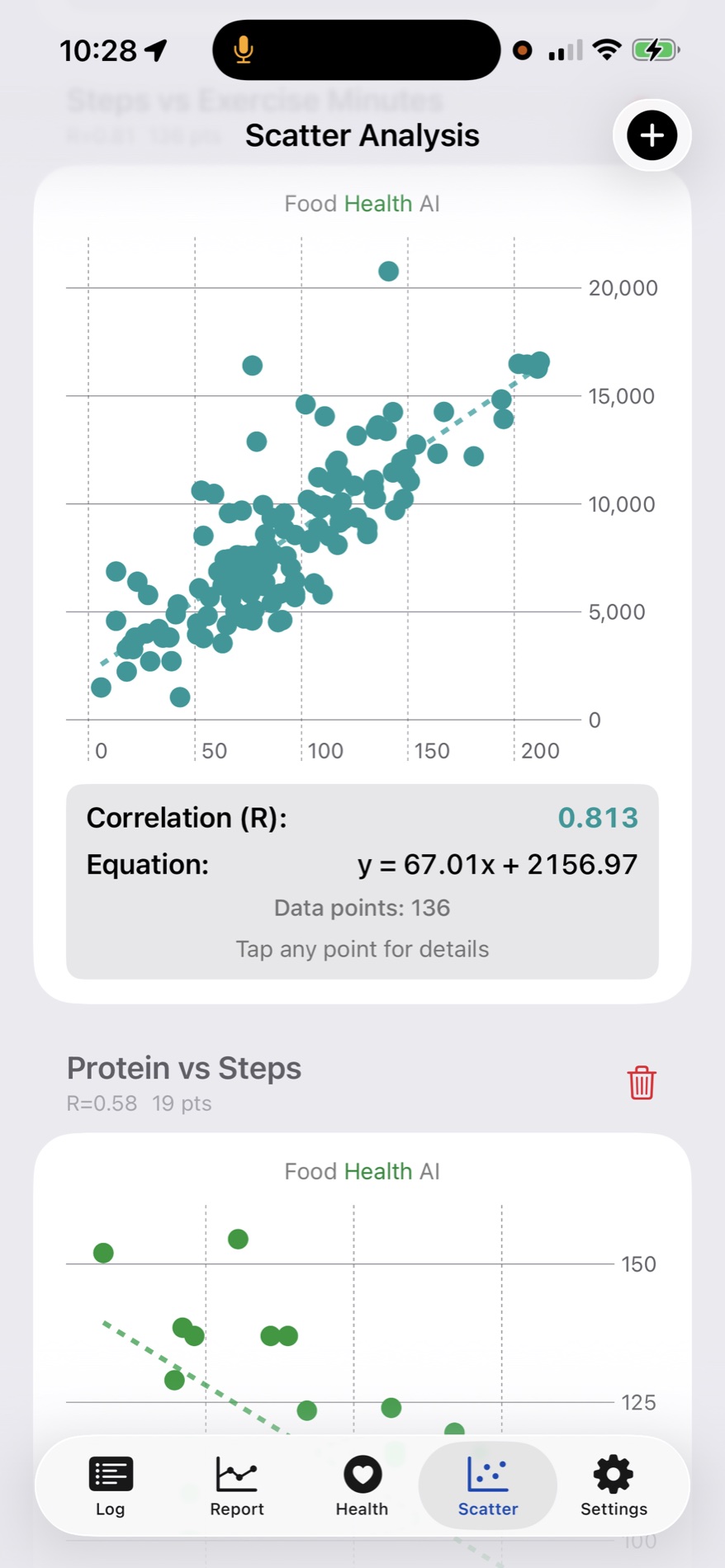
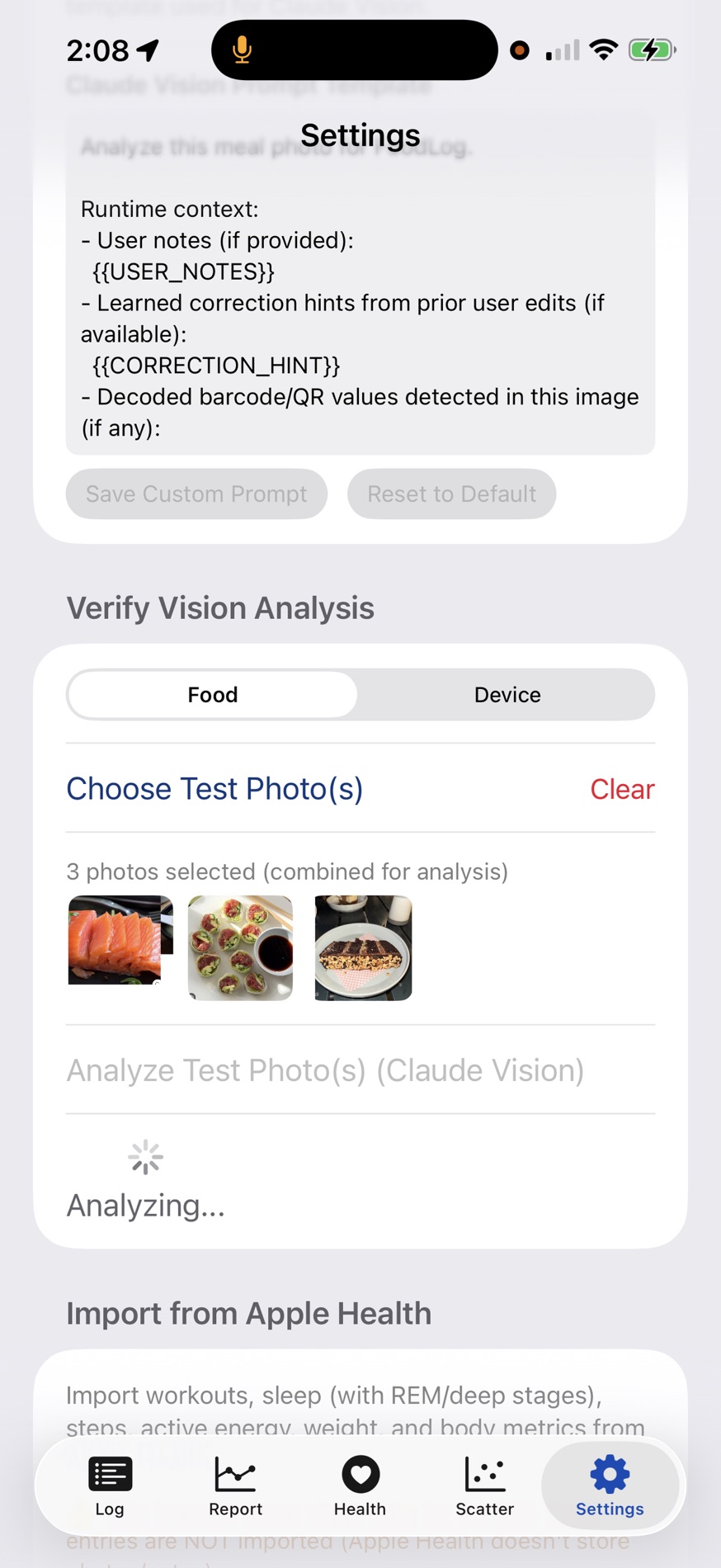
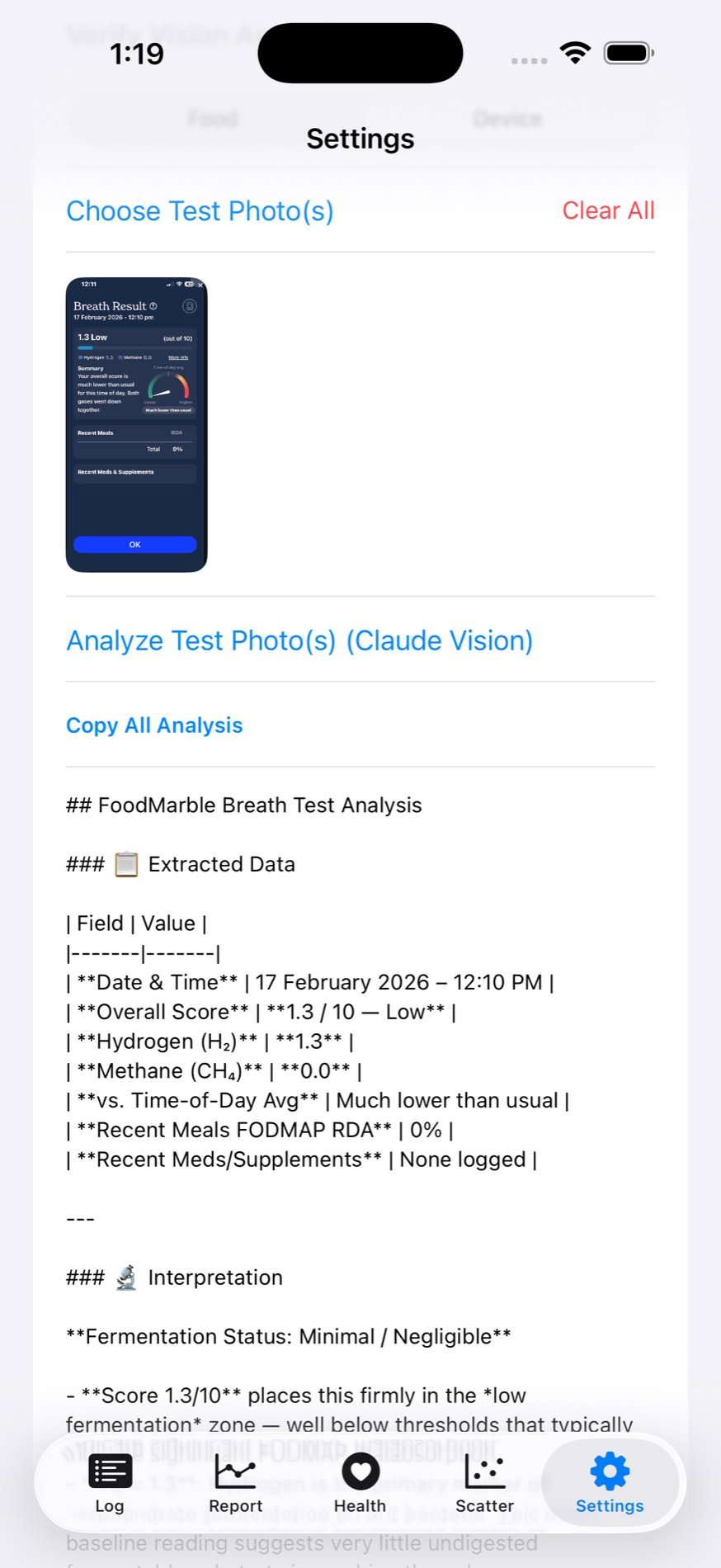
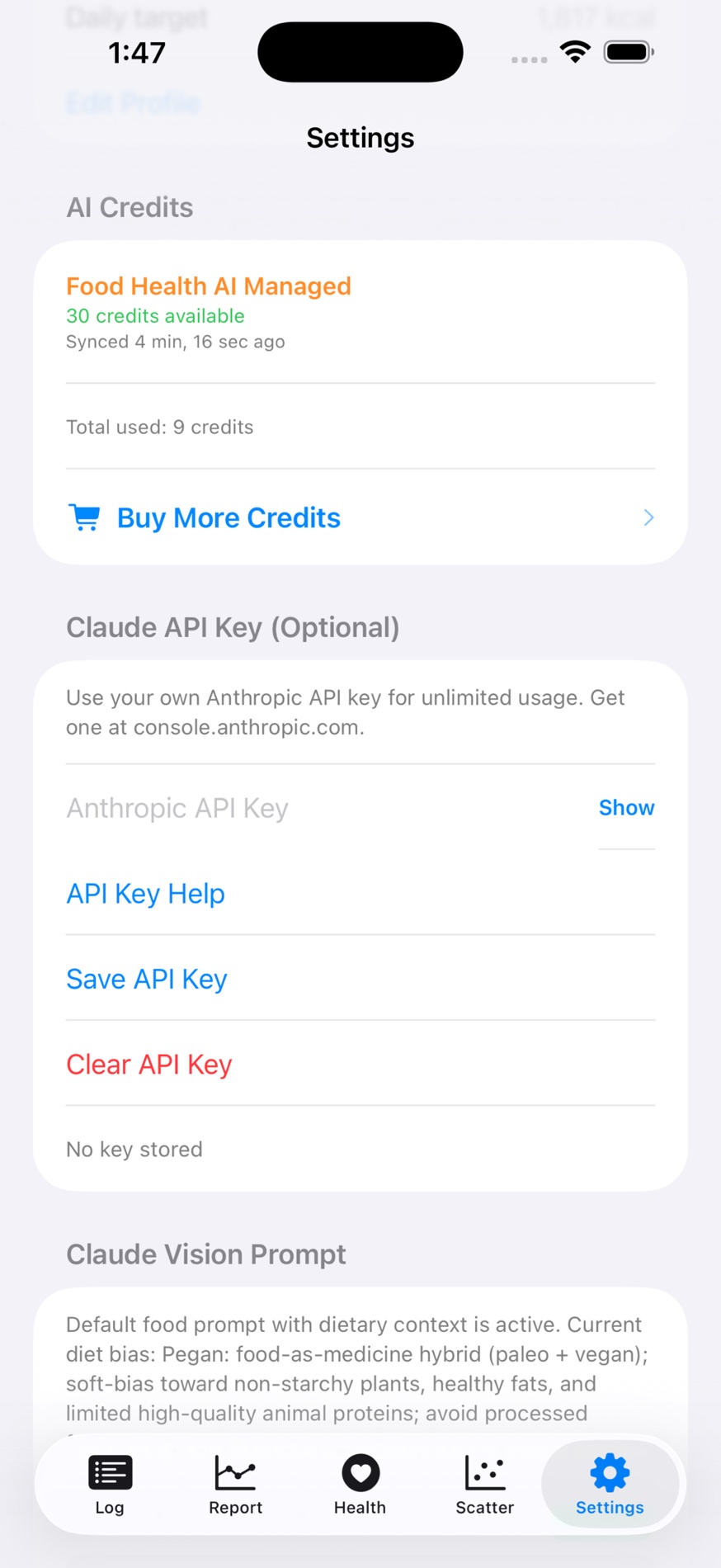
v3.2.1 adds more social motivation, nearby food discovery, smarter reminders, faster repeat logging, and stronger planning and insight-sharing tools.
It also expands challenge support across many health and nutrition metrics while improving MKI breakdowns, Apple Health sync, and overall app performance.
This section now reflects the current 3.2.1 App Store release notes.
v4.0 is centered on more actionable meal feedback, stronger day-level progress visibility, searchable history, and community sharing around standout meals.
It also adds daily micro-challenges, smarter macro pacing indicators, and a clearer streak experience while expanding Near Me coverage globally.
Coming soon preview. Final names, polish, and exact behavior may still change before release.
The entry was saved while analysis was skipped, failed, or deferred. Open the card and run analysis again when network conditions improve.
Yes for logging. The app can save entries first and analyze later, with preflight checks to avoid long stalls on unstable or offline connections.
Estimates come from AI analysis of meal photos and user-guided notes. Including a fiducial marker or known-size reference (for example, standard utensils or packaged portions) can improve portion interpretation. Users can review and rerun analysis before saving to align results with expectations.
Users receive starter credits, can buy more as needed, or switch to their own API key (BYOK). Previously purchased credits are preserved and can be used later if they switch back from BYOK.
Email: support@eidogen-sertanty.com
App Store: Food Health listing
Google Play: Food Health listing
Privacy Policy: Food Health AI Privacy Policy
Bundle ID (iOS): com.foodlog.ios
Package (Android): com.foodhealthai.android
Platforms: iOS, Android